Client portal for professional services

Stop chasing clients
across email.

One link your client opens, complete checklists, sign docs, and pays through.

No more follow-up emails.
No more scattered files.

Start free trial
· 30-day free trial· No credit card required
Does this sound familiar?
Check everything that's happened this week…
Had a client email asking "what do you need from me?" after I already sent everything
Sent a reminder email that felt embarrassing to write
Discovered a missing document the day before a deadline
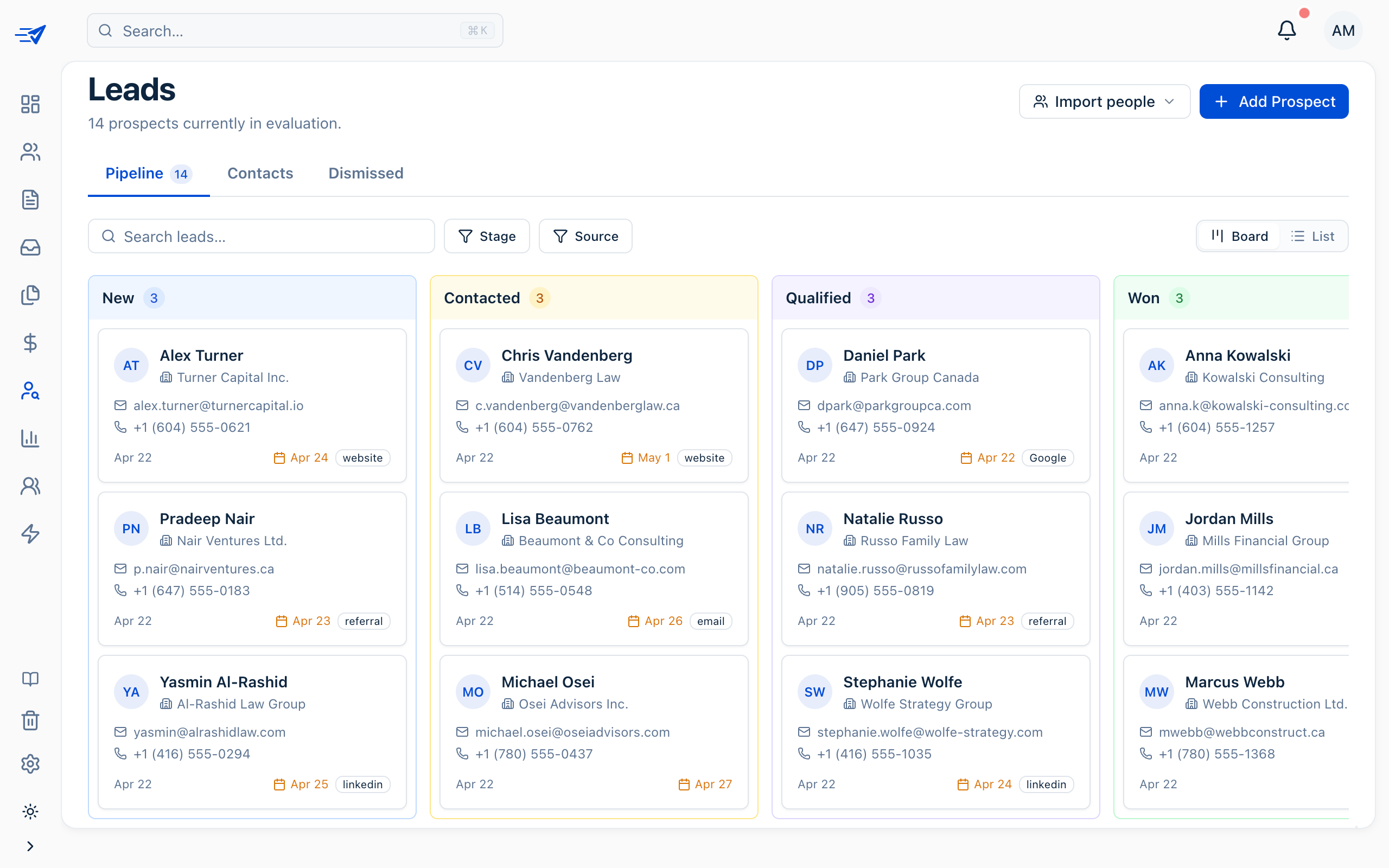
Lost track of which clients have submitted and which haven't
Spent 20 minutes finding a document buried in an email thread
A client sent multiple files in different emails and I had to piece together which ones were the final versions
Check anything you recognise
Start free trial →
30-day free trial · No credit card
Works with the tools
you already use
Google Drive
Google Contacts
Slack
clio
Clio
QuickBooks
Stripe
Dropbox
Google Drive
Google Contacts
Slack
clio
Clio
QuickBooks
Stripe
Dropbox
Google Drive
Google Contacts
Slack
clio
Clio
QuickBooks
Stripe
Dropbox
Google Drive
Google Contacts
Slack
clio
Clio
QuickBooks
Stripe
Dropbox
Everything in one place

Flexible tools for every client workflow.

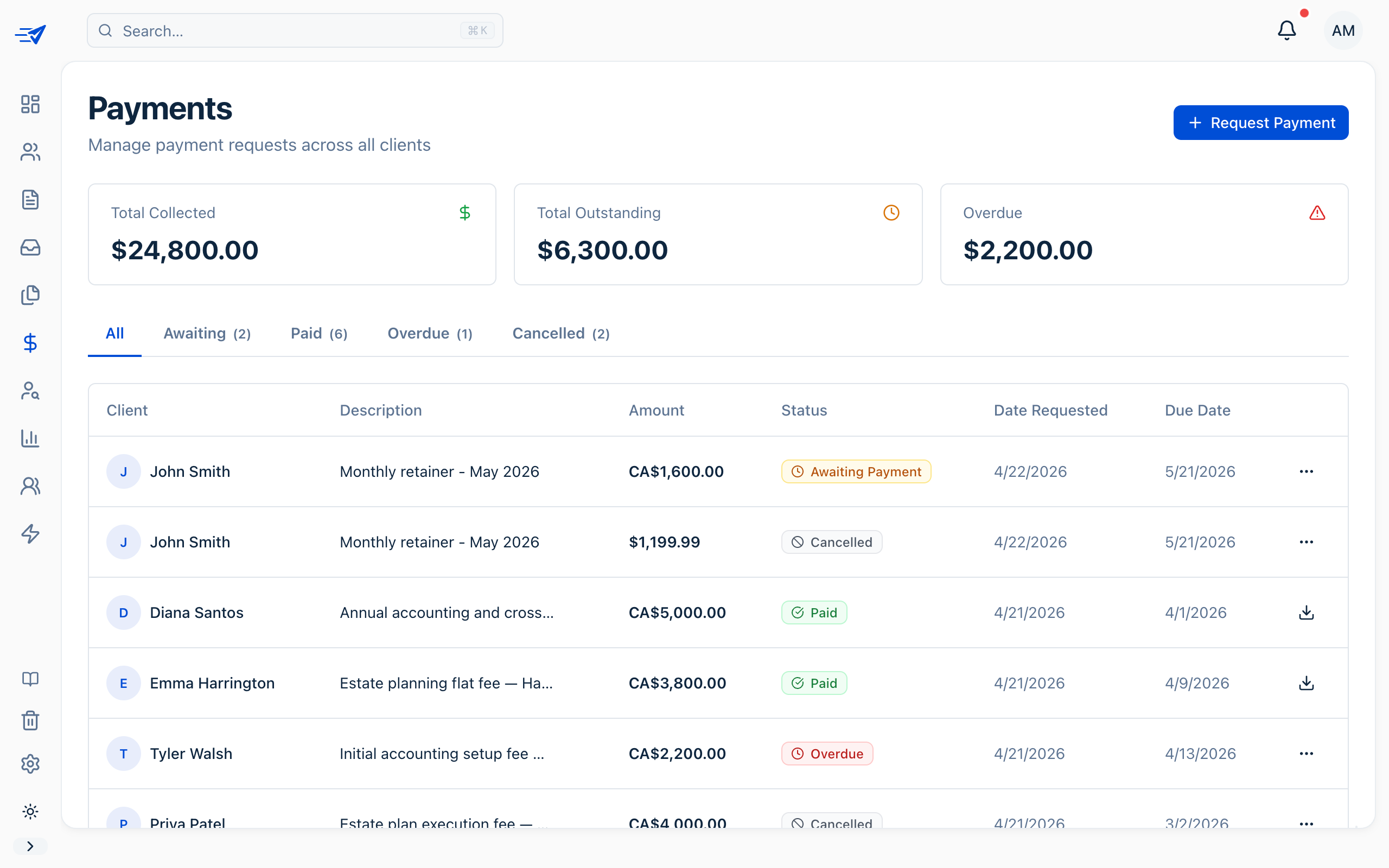
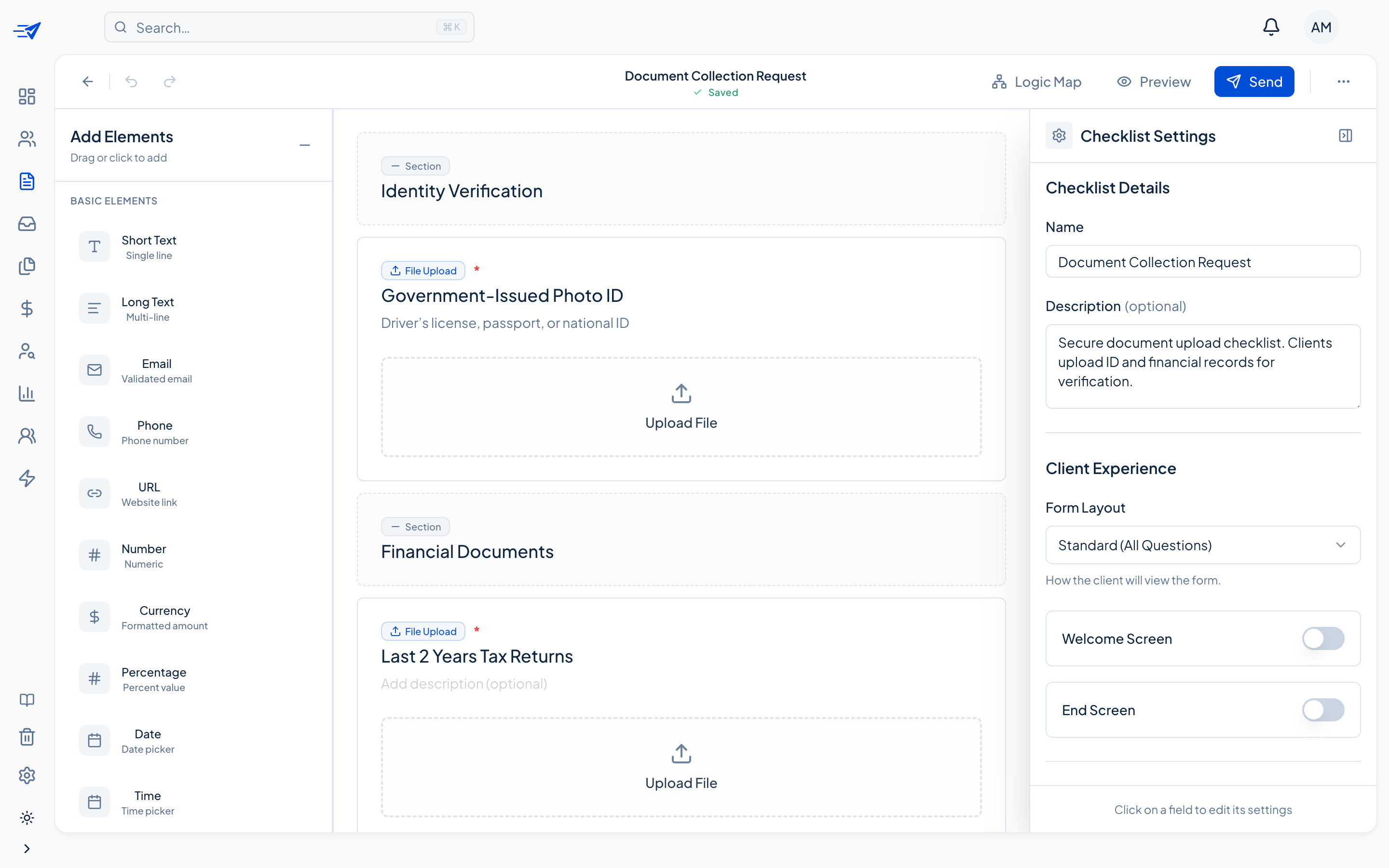
Everything you need in one place: collect documents, e-signatures, and payments—with automated follow-ups.

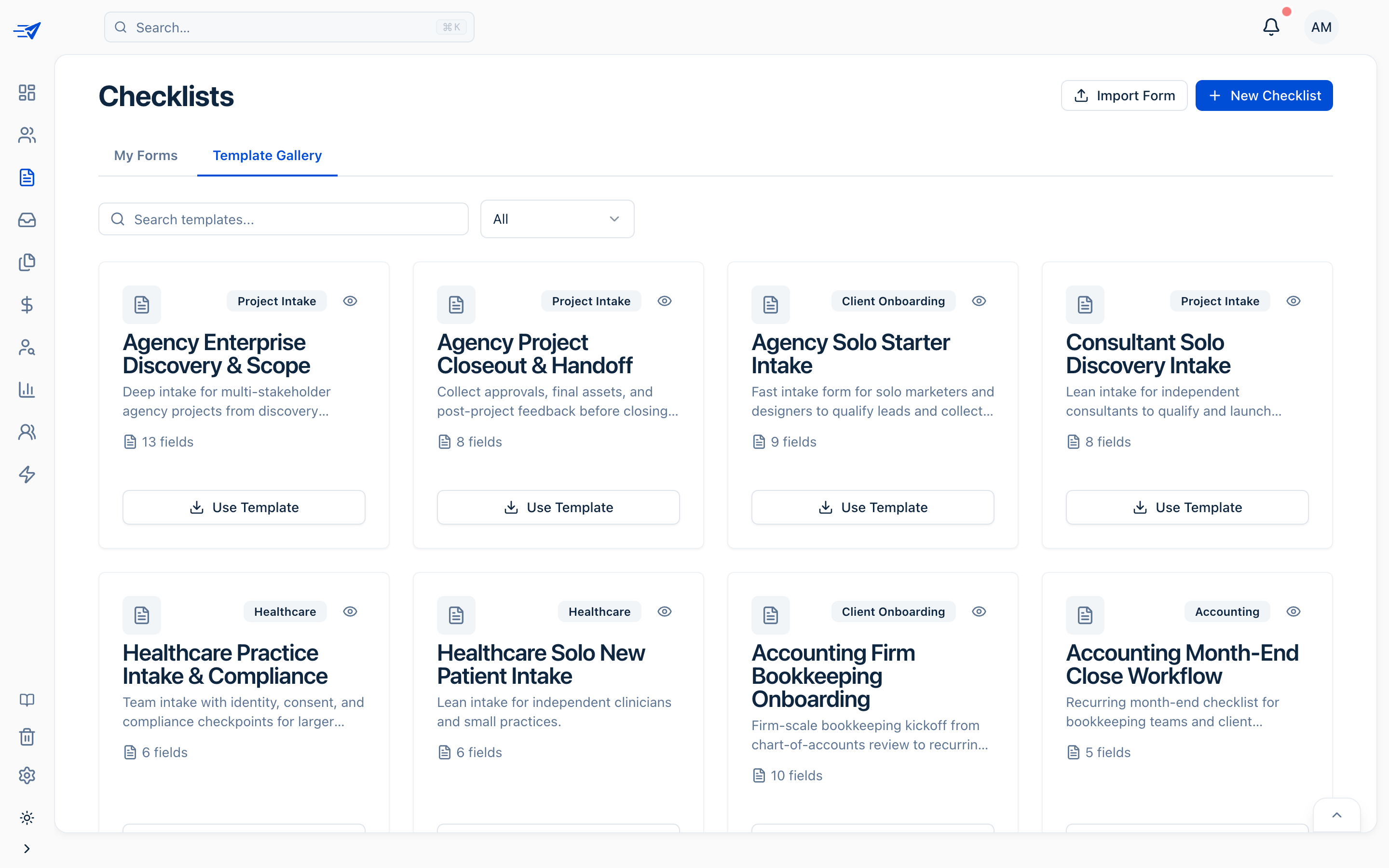
Checklists

Stop hunting through folders and cloud chaos.

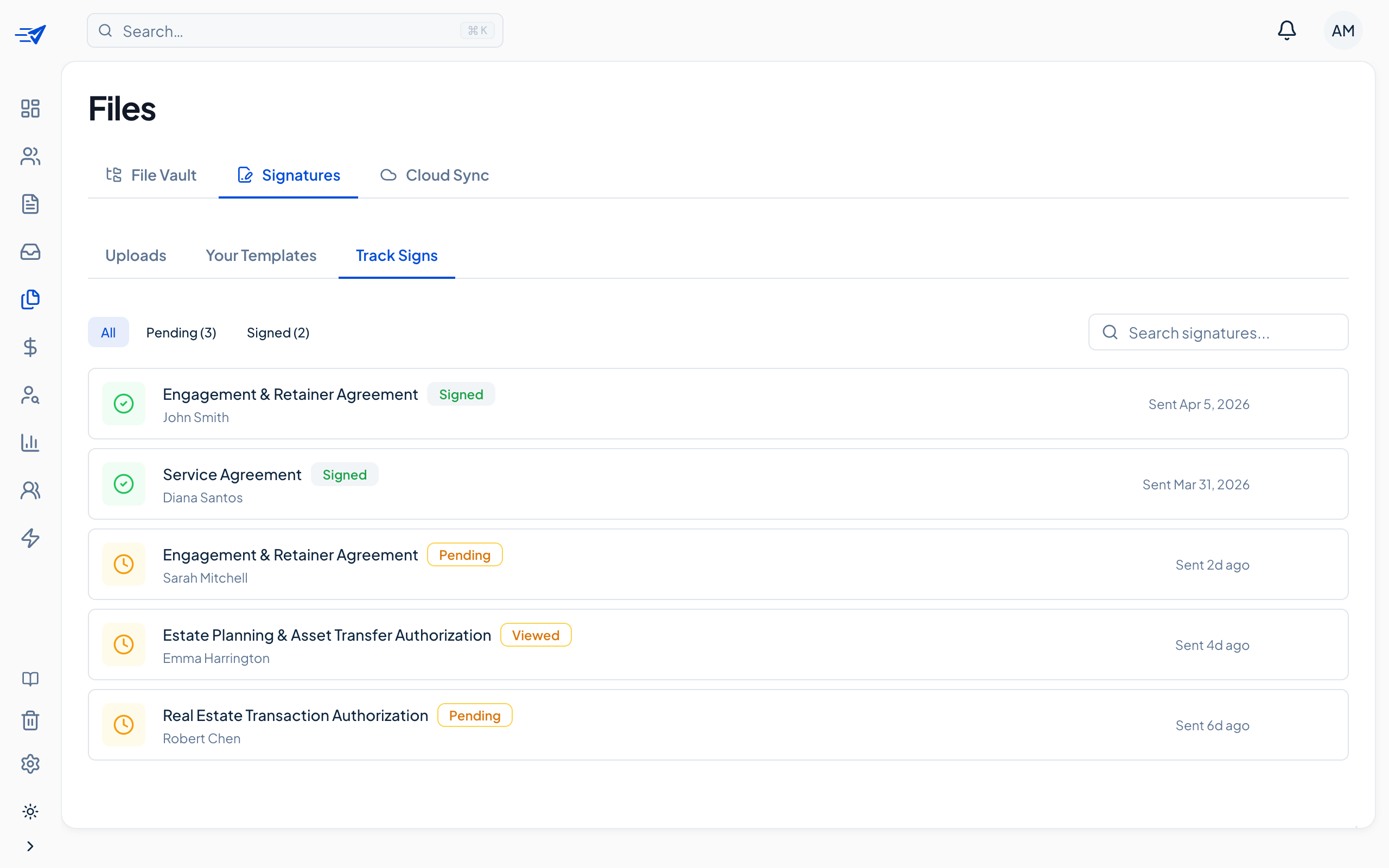
Everything uploads to a secure & organized vault—then syncs to the cloud with one click. No more “where did I save that?”

Drive
Dropbox

Files

Search files...
AllSigned
1 file
Harper Cole
harper.cole@example.com
1 file
Tax 2026
1
Signed_Proposal.pdf
Mar 17, 2026218 KB

Manage workflows
with ease.

Projects, forms, payments, and docs — organized exactly how you work.

2026 Tax Filing
W-2 Forms
Submitted
Approved
Bank Statements
Payment Request
Q1 Review
Documents
Submitted
Changes Requested
Sign Docs
Loved by modern firms

Trusted by firms that
got tired of chasing.

  • Cut our client onboarding from two weeks to three days. Engagement letters come back signed the same afternoon instead of sitting in someone's inbox.
    Sarah ChenPartner · Chen & Associates Law
  • My clients actually reply now. They open the portal once, upload everything, and we stop trading six emails about which W-2 is the right one.
    Marcus BellManaging Director · Bell & Finch CPA
  • Every new client engagement used to mean a dozen reminder emails. Now I send one link and the intake packet comes back complete. It feels quietly premium.
    Priya RamanPrincipal Consultant · Northlane Strategy
The real problem

Your inbox is not
a client portal.

Every email thread is a liability — missed attachments, wrong versions, forgotten follow-ups. There's a better way.

Re: Re: Re: Tax docs — Sarah
YouJan 8, 10:14 AM
Hi Sarah, just following up on the W-2 forms again — do you have a chance to send those over? We need them by Friday.
⚠ 3rd follow-up
Sarah M.Jan 8, 2:55 PM
Sorry! Attaching now. Also which receipts did you need exactly? I sent some last week I think?
⚠ Wrong attachment
YouJan 9, 9:02 AM
The ones from Q3 — business expenses only. And did you sign the engagement letter I sent 2 weeks ago?
vs
SwiftChecklist — Sarah Martinez
3 of 5 complete
Upload W-2 Formsdone
Complete intake questionnairedone
Upload Q3 Business Receiptsdone
Sign engagement letteraction needed
🔒
Confirm bank details for filinglocked
// email_thread.txt ← chaos// swift_portal.app ← order →
How it works

A simple three-step workflow

Every client engagement follows the same fast, predictable path. Set it up once and watch paperwork move in minutes, not weeks, with no email threads to untangle.

Send a checklist

Pick a template or build one from scratch. Your client gets a branded portal link in minutes — no app install, no PDFs by email.

Clients complete it

They upload documents, sign, and pay right from their phone. Everything flows into one place — no email threads, no chasing.

You stay in control

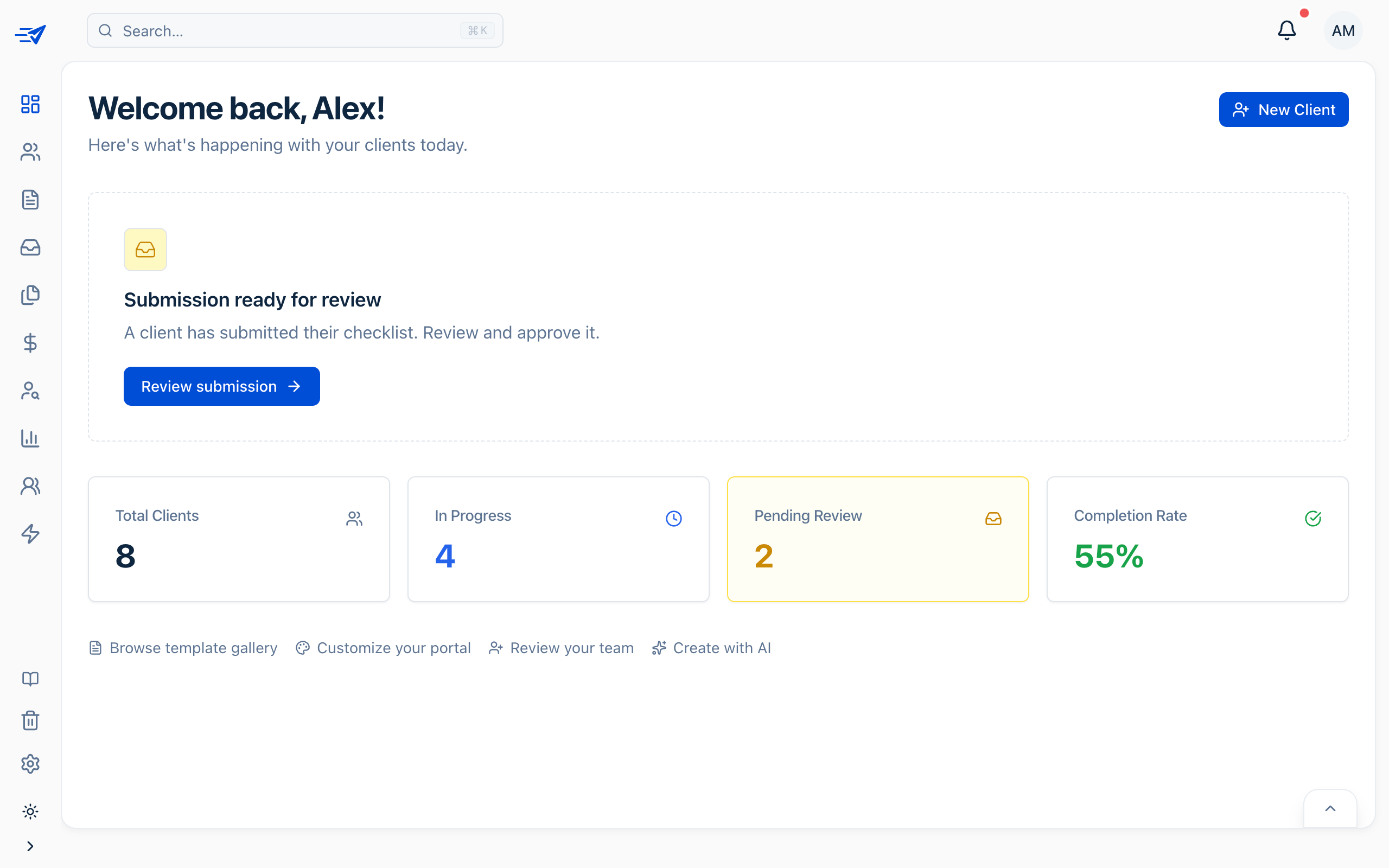
Real-time dashboard, automated reminders, and client chat built in. You see every move the moment it happens — zero surprises.

Custom Branding

Customize client portals with your brand, fonts, and colors.

Make the portal feel like your firm from the first click. Match your logo, type, and visual identity so clients never feel like they left your business.

Tyke Insurance client portal
Tyke Insurance client portal mobile

Upload Your Assets

Add your logo, favicon, and brand imagery to make the portal feel unmistakably yours.

Set Your Colors

Choose your primary, accent, and background colors. Clients always see your palette, not ours.

Choose Your Fonts

Pick from professional typefaces or upload a custom font. Typography that matches your brand identity.

Automations

Your workflows run 24/7.
You don't have to.

Chain any trigger to any action. SwiftChecklist handles the rest so your team can focus on client work, not manual follow-up.

Automations dashboard showing rules, metrics, and playbook editor
Integrations

Works with everything
you already use.

Connect your stack in minutes. Two-way sync means your tools stay in agreement — always.

Google Drive
Browse and import files from Google Drive. Select documents for signatures or import client submissions directly.
Dropbox
Connect Dropbox to browse, import, and sync files. Upload client submissions or pull in documents for signing.
Stripe
Accept credit cards, ACH, and Apple Pay directly on your checklists. Funds go straight to your bank.
QuickBooks Online
Sync customers from your QuickBooks account. New customers are automatically imported to staging.
Google Drive
Browse and import files from Google Drive. Select documents for signatures or import client submissions directly.
Dropbox
Connect Dropbox to browse, import, and sync files. Upload client submissions or pull in documents for signing.
Stripe
Accept credit cards, ACH, and Apple Pay directly on your checklists. Funds go straight to your bank.
QuickBooks Online
Sync customers from your QuickBooks account. New customers are automatically imported to staging.
clio
Clio
Import contacts from Clio Manage. Keep your legal client roster in sync automatically.
Slack
Get instant Slack notifications for form submissions, signatures, and payments. Approve requests from Slack.
Google Contacts
Import contacts from your Google account. Choose which contacts to bring in.
clio
Clio
Import contacts from Clio Manage. Keep your legal client roster in sync automatically.
Slack
Get instant Slack notifications for form submissions, signatures, and payments. Approve requests from Slack.
Google Contacts
Import contacts from your Google account. Choose which contacts to bring in.
FAQ

Frequently asked questions.

Everything you need to know about SwiftChecklist. If you need something more specific, email support@swiftchecklist.com.

We send a secure Magic Link to your client's email. They click once and land directly in their checklist, without creating a password, and you can revoke access whenever needed.

Get Started

Start onboarding clients
without the chase.

Create your workspace, launch a branded intake flow, and move real client work through one clean portal from day one.

30-day free trialNo credit card requiredCancel any time